BundlesMicrosoft
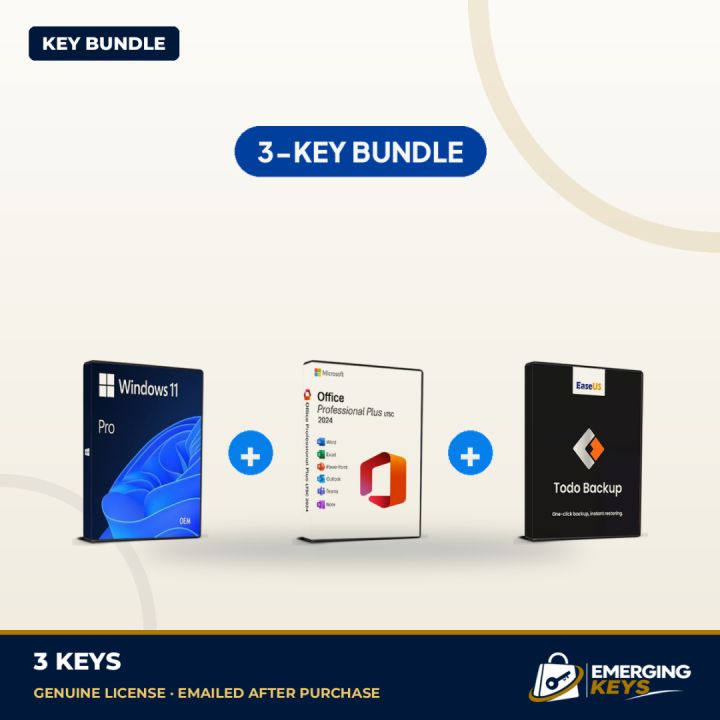
Windows 11 Pro & Office 2021 Professional Plus Key Bundle
2 keys · Worldwide
Bundle of 2 genuine keys: Windows 11 Pro & Office 2021 Professional Plus. One checkout, every license emailed together, for less than buying each key on its own.
- Platform
- Windows
- License
- Lifetime license
- Region
- Global (works worldwide)
- Delivery
- Key sent by email
What you get
- 2 genuine license keys in one order
- Costs less than buying each key separately
- Each key activates on its own
- All keys emailed together with setup steps
Price in US dollars · no subscription unless stated
- Key emailed to you after payment
- Secure checkout with card or PayPal
- Activation help from our US team
- Faulty key? Replaced or refunded
- Visa
- Mastercard
- Amex
- PayPal
Overview
Everything you need to get a new or rebuilt PC working, in one order: Windows 11 Pro & Office 2021 Professional Plus. You receive 2 separate, genuine license keys in the same email, each with its own activation guide.
Keys in this bundle
- Microsoft Windows 11 Pro
- Microsoft Office 2021 Professional Plus
Setting up
Install and activate Windows 11 Pro first, then install Office from Microsoft's download and enter the Office key. Any extra software in the bundle is downloaded from its developer and activated with its own key.
Activation steps
You install Windows 11 Pro + Office 2021 Professional Plus with Microsoft's own installer file, then activate it with your key.
- Remove any other Office version first (Settings > Apps > Installed apps) so the two installations don't clash.
- Get Microsoft's installer: Download here (ProPlus2021Retail.img). The file comes directly from Microsoft's servers.
- Right-click the .img file and select Mount. Open the drive that appears and start Setup.exe (if nothing happens, open the Office folder on that drive and run Setup64.exe, or Setup32.exe on 32-bit Windows).
- Once setup completes, launch Word (press Start and type Word). Type the 25-character key when you are asked for it, or go to File > Account > Change Product Key.
Other languages (Microsoft's installer, click to download): English (UK) · Arabic · Chinese (Simplified) · Chinese (Traditional) · Czech · Danish · Dutch · Finnish · French · German · Greek · Hebrew · Hungarian · Italian · Japanese · Korean · Norwegian · Polish · Portuguese (Brazil) · Portuguese (Portugal) · Romanian · Russian · Spanish · Swedish · Turkish · Ukrainian
Requirements
- A PC that meets the Windows 11 requirements (TPM 2.0, Secure Boot, 64-bit CPU)
- An internet connection to download and activate
- See each included product's page for full requirements
Specifications
- Includes
- Windows 11 Pro + Office 2021 Professional Plus
- Number of keys
- 2
- License
- Lifetime
- Platform
- Windows
- Region
- Global
- Delivery
- Emailed after payment
- Price
- $27.49 USD
- Seller
- Emerging Keys (United States)
Windows 11 Pro + Office 2021 Professional Plus questions
Can I use the keys on different computers?
Each key is its own license, so yes: you could activate Windows on one PC and Office on another.
Which should I install first?
Install and activate Windows 11 Pro first, then Office, then any extra software.
Customers also buy
Microsoft