
BundlesMicrosoft
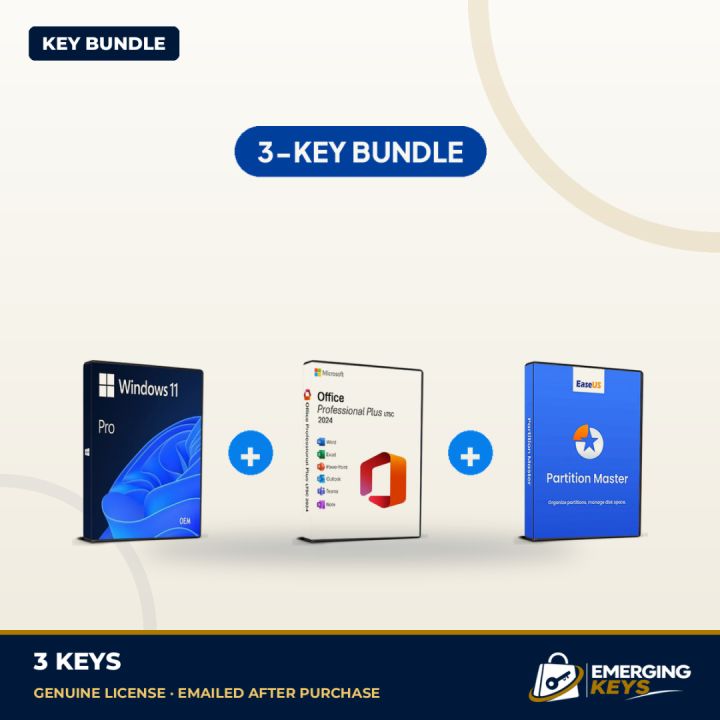
Windows 11 Pro & Office 2024 & EaseUS Todo Backup Home Key Bundle
3 keys · Worldwide
Bundle of 3 genuine keys: Windows 11 Pro & Office 2024 & EaseUS Todo Backup Home. One checkout, every license emailed together, for less than buying each key on its own.
- Platform
- Windows
- License
- Lifetime license
- Region
- Global (works worldwide)
- Delivery
- Key sent by email
What you get
- 3 genuine license keys in one order
- Costs less than buying each key separately
- Each key activates on its own
- All keys emailed together with setup steps
Price in US dollars · no subscription unless stated
- Key emailed to you after payment
- Secure checkout with card or PayPal
- Activation help from our US team
- Faulty key? Replaced or refunded
- Visa
- Mastercard
- Amex
- PayPal
Overview
Everything you need to get a new or rebuilt PC working, in one order: Windows 11 Pro & Office 2024 & EaseUS Todo Backup Home. You receive 3 separate, genuine license keys in the same email, each with its own activation guide.
Keys in this bundle
- Microsoft Windows 11 Pro
- Microsoft Office 2024
- EaseUS Todo Backup Home
Setting up
Install and activate Windows 11 Pro first, then install Office from Microsoft's download and enter the Office key. Any extra software in the bundle is downloaded from its developer and activated with its own key.
Activation steps
Download Windows 11 Pro + Office 2024 + EaseUS Todo Backup Home from Microsoft, then activate it under Settings.
- Download Windows from Microsoft's download page. The Media Creation Tool there can upgrade this PC directly, build a bootable USB drive or save the ISO file.
- Run Windows setup. When it asks for a product key, either enter yours now or pick I don't have a product key and add it once Windows is installed.
- Go to Settings > System > Activation, select Change product key and enter the 25-character key from your Emerging Keys email.
- Activation completes online within a minute and the page reads Windows is activated.
Online activation refused? Use phone activation
- Press Windows + R, enter
slui 4and press Enter. You can also reach it from the Activation page under Activate by phone. - Pick your country or region, then click Next.
- Ring the toll-free number on screen; the automated line reads out a confirmation ID that you type in to complete activation.
Phone activation is documented on Microsoft's support website.
EaseUS Todo Backup Home (Current Version)
EaseUS Todo Backup Home (Current Version) is installed from the publisher's installer and activated with the license key from your Emerging Keys email.
- Download the installer from the link in your order email.
- Launch the installer and follow the setup prompts.
- When the program asks for a license key, during setup or on first launch, enter your key to unlock the full version.
Office 2024 Professional Plus
Office 2024 Professional Plus uses Microsoft's click-to-run installer and is activated with your key.
- Remove older Office versions first under Settings > Apps.
- Install Office 2024 Professional Plus. The simplest route is the pre-configured installer linked in your order email, which picks the correct edition, language and 32/64-bit build and pulls Office straight from Microsoft. Administrators can deploy with Microsoft's Office Deployment Tool if they prefer.
- Start an Office app such as Word or Excel, type in your key and select Activate. If Office only offers a sign-in box, click Choose another account and then Enter a product key instead.
Requirements
- A PC that meets the Windows 11 requirements (TPM 2.0, Secure Boot, 64-bit CPU)
- An internet connection to download and activate
- See each included product's page for full requirements
Specifications
- Includes
- Windows 11 Pro + Office 2024 Professional Plus + EaseUS Todo Backup Home (Current Version)
- Number of keys
- 3
- License
- Lifetime
- Platform
- Windows
- Region
- Global
- Delivery
- Emailed after payment
- Price
- $77.99 USD
- Seller
- Emerging Keys (United States)
Windows 11 Pro + Office 2024 + EaseUS Todo Backup Home questions
Can I use the keys on different computers?
Each key is its own license, so yes: you could activate Windows on one PC and Office on another.
Which should I install first?
Install and activate Windows 11 Pro first, then Office, then any extra software.
Customers also buy
Microsoft